E-commerce
Order status, no human
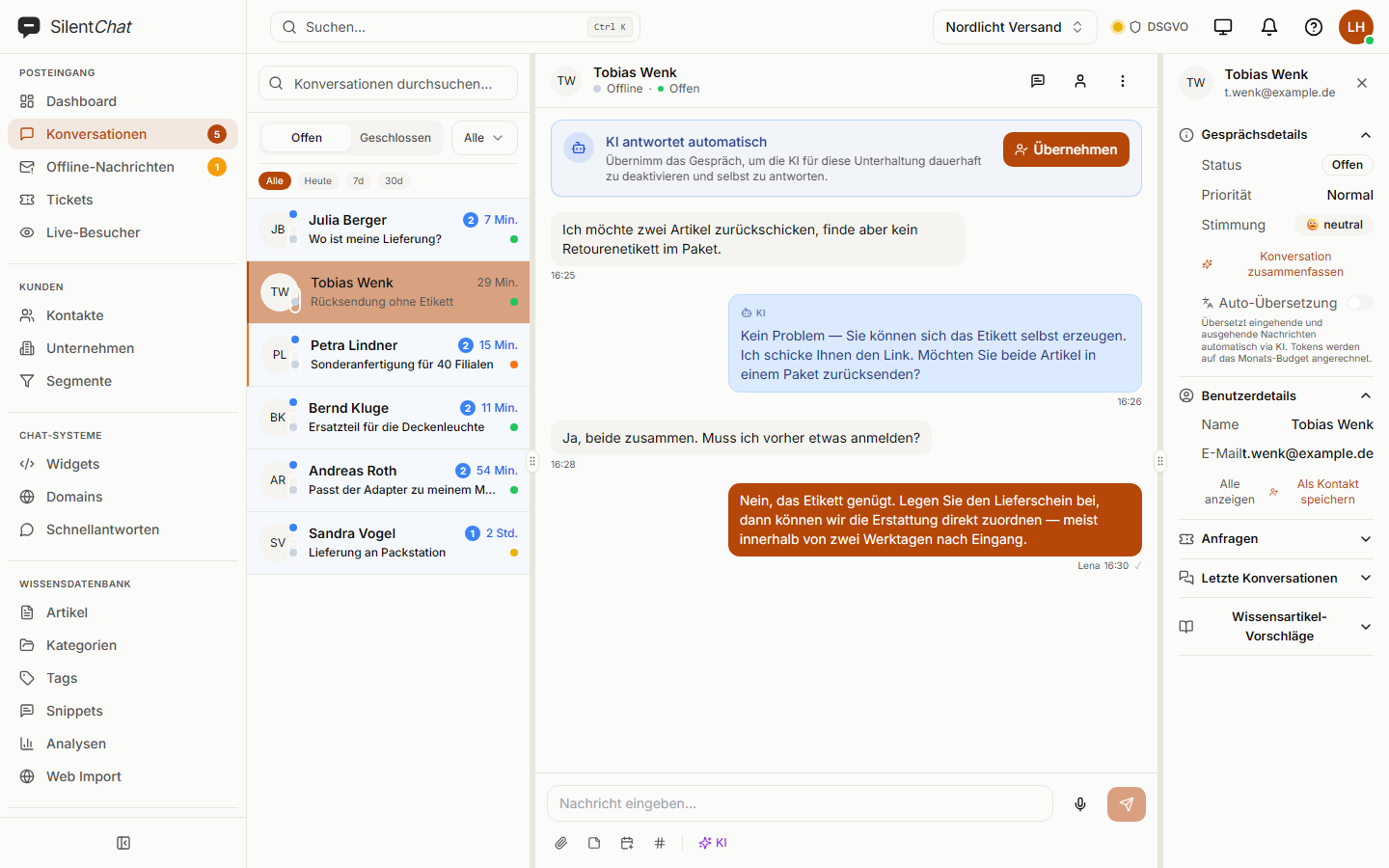
Bot pulls tracking data via webhook, replies in seconds. Escalates to support immediately on a complaint.
FEATURES · 74 FUNCTIONS, 8 CATEGORIES
From live chat to AI bot with RAG, workflow engine, knowledge base, and GDPR self-service. Here's what's inside.
WHAT YOU GET
Not a feature checklist, but a support team's working day. Each item says which plan it starts in — and that comes from the plan limits we actually ship, not from this text.
AI ANSWERS
It draws its answers from your knowledge base — not from the open web and not from thin air. When it finds nothing solid, it says so and fetches a human instead of guessing.
KNOWLEDGE BASE
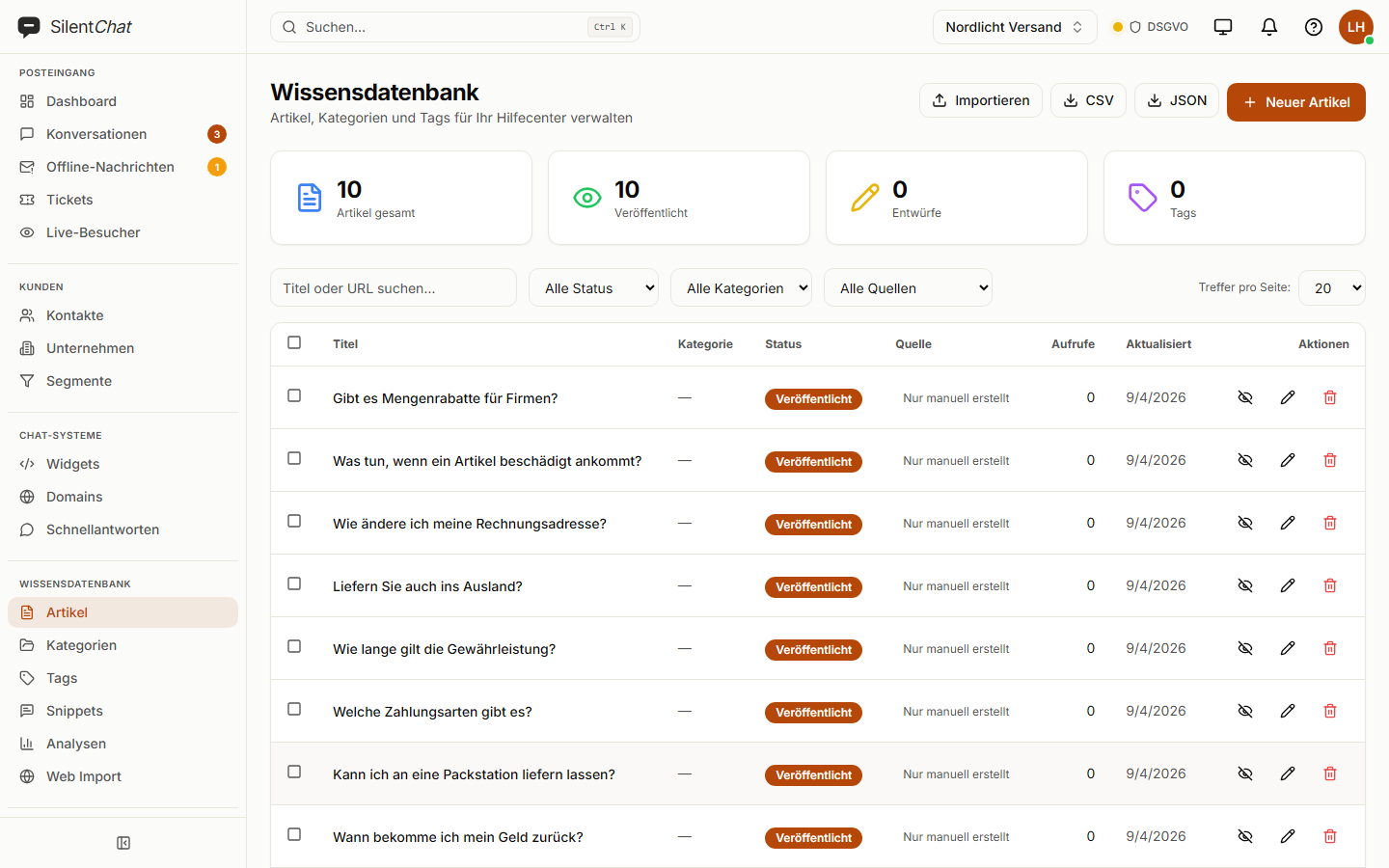
You write articles, or you let it read your website. Both end up in the same place, and that is what the bot answers from — the same texts also serve as your public help portal.
AI COPILOT
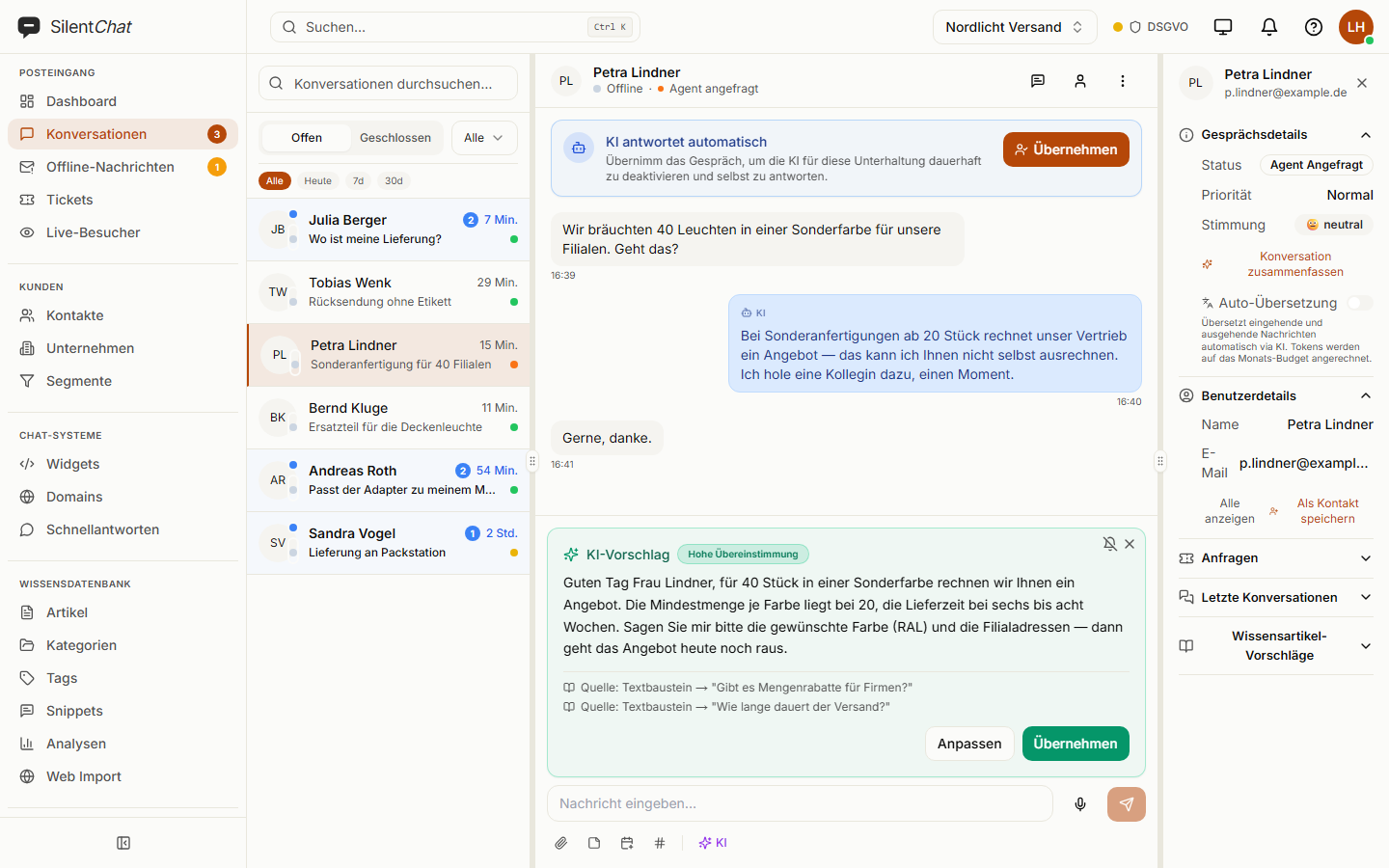
The copilot drafts a reply, summarises long threads and reads the mood. The draft appears above the input field — the agent decides whether it goes out as is, gets adjusted or is dismissed.
VOICE MESSAGES
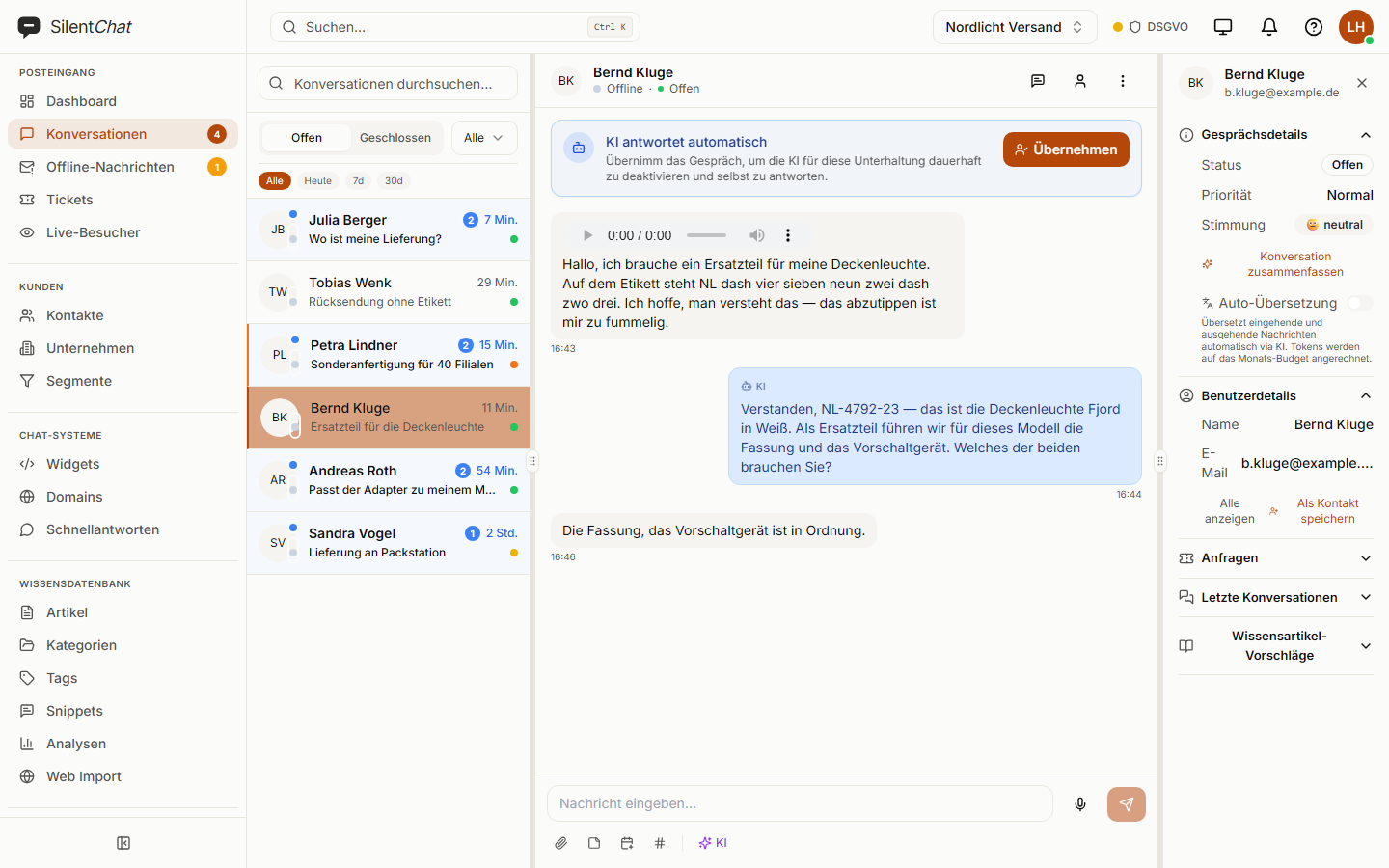
Visitors record a message, the team hears it in the inbox and reads the transcript alongside. Speech recognition runs in our own container — the recording never leaves the server.
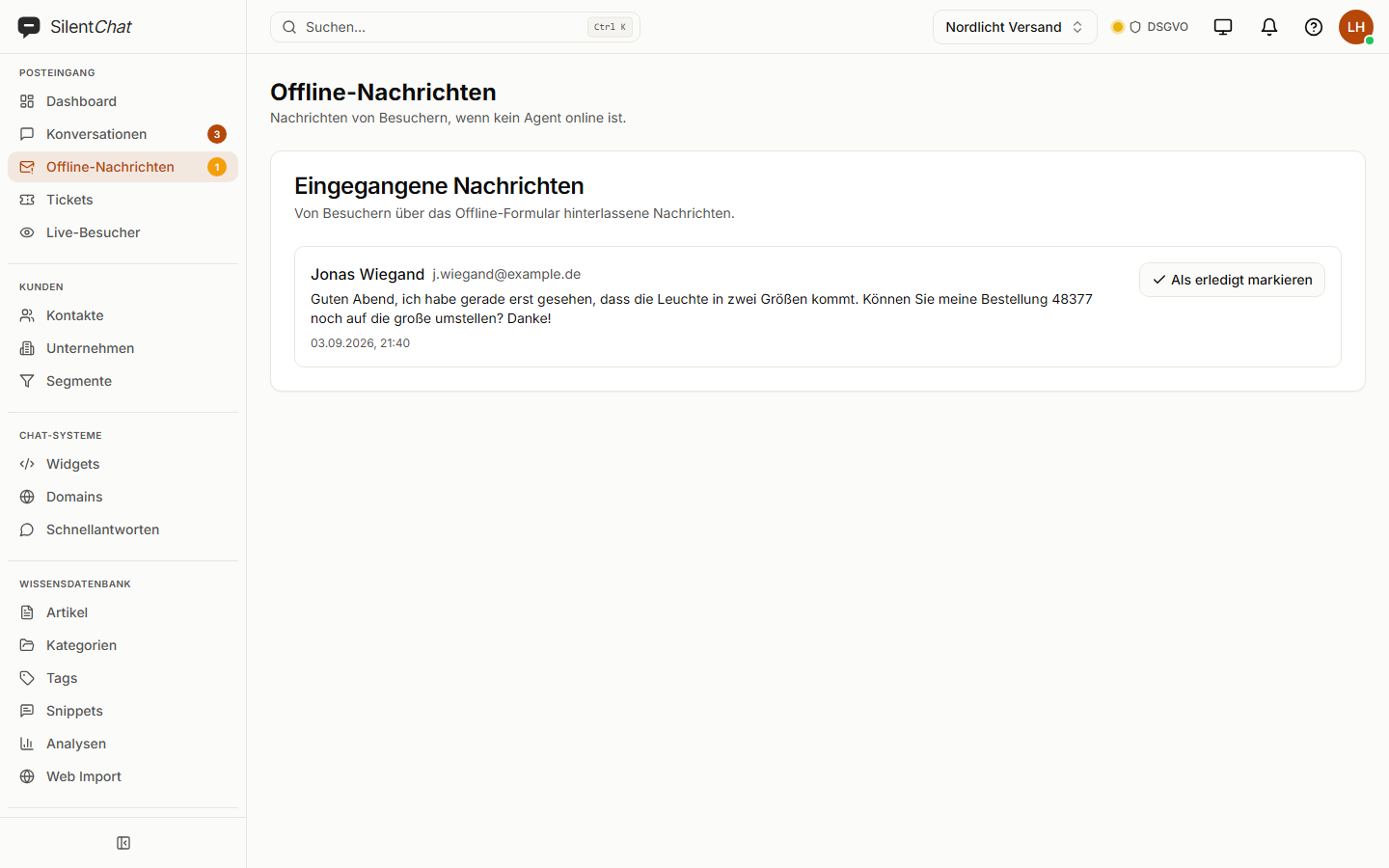
OFFLINE MESSAGES
Outside your hours the widget shows a form instead of an empty chat. The message lands in its own inbox and is emailed to the recipients you configured.
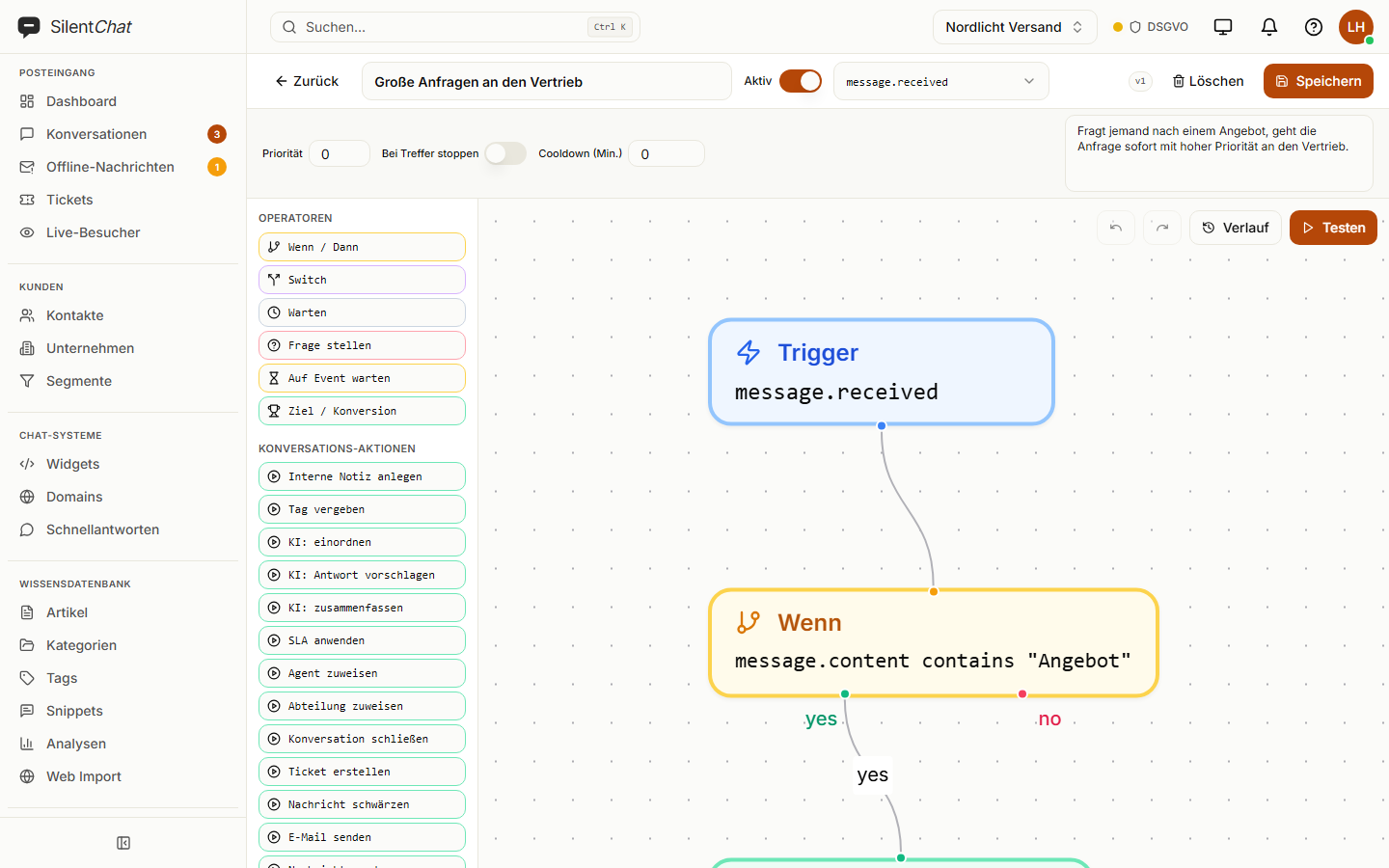
WORKFLOWS
One trigger, conditions, actions — drawn on a canvas, not nested in a list. You can run a flow against a test conversation before it ever meets a real visitor.
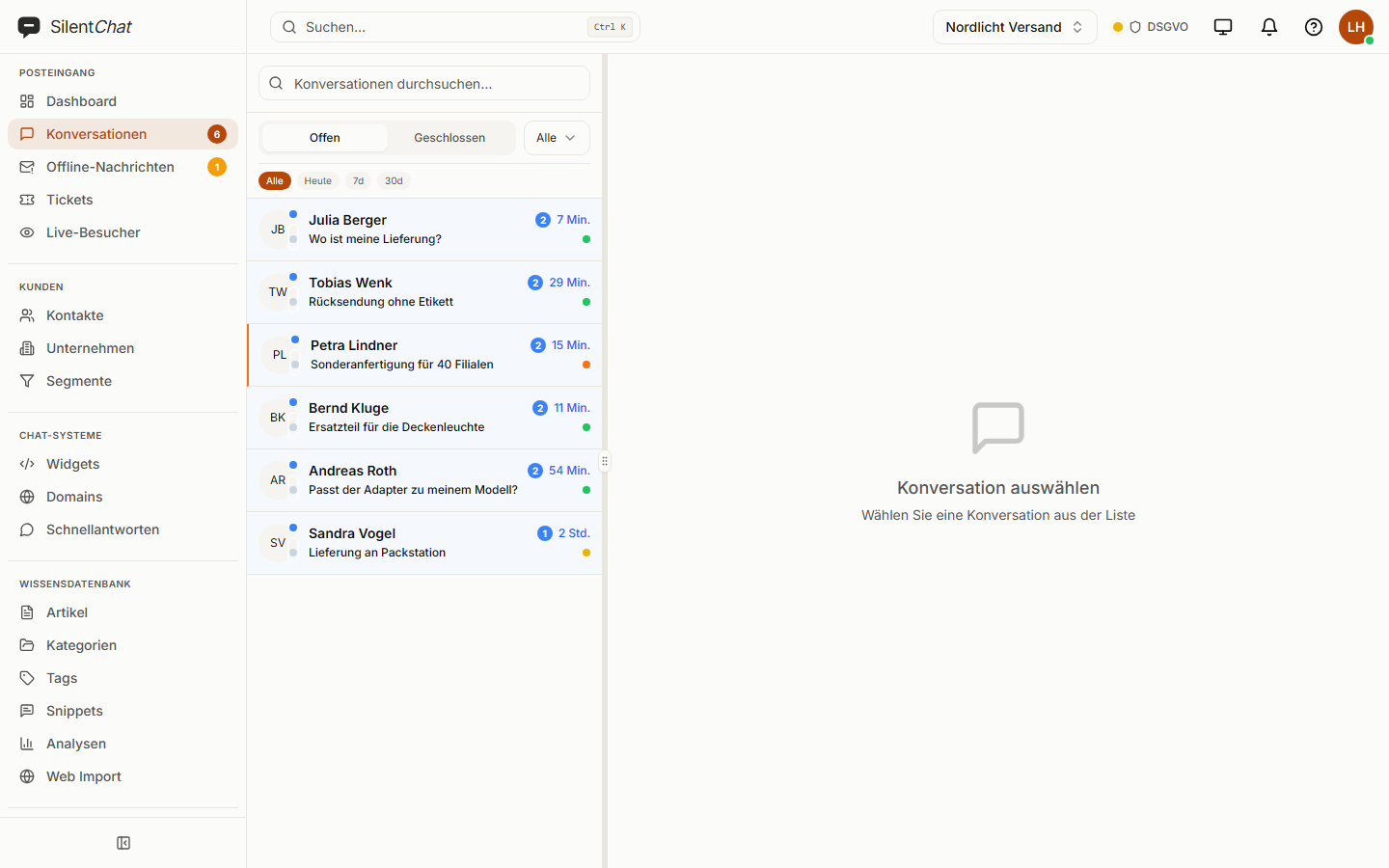
INBOX
Chats, offline messages and tickets in one list, sorted by what has waited longest. Whoever picks up a conversation sees what was said before — including what the AI said.
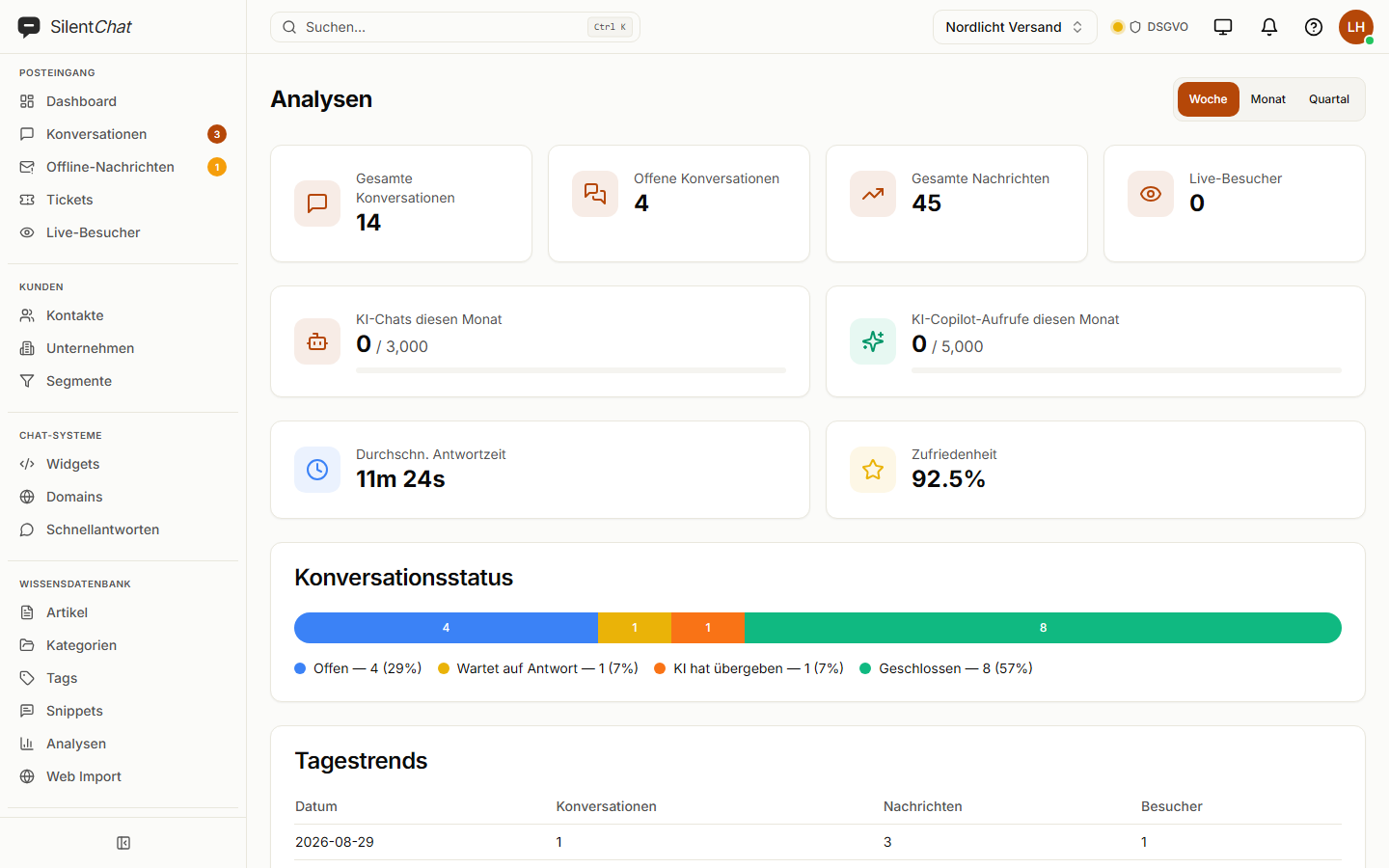
ANALYTICS
How many conversations, how quickly answered, how satisfied — and how much of it the AI handled alone. Not for its own sake, but so you can see where an article is missing.
INSTALLATION
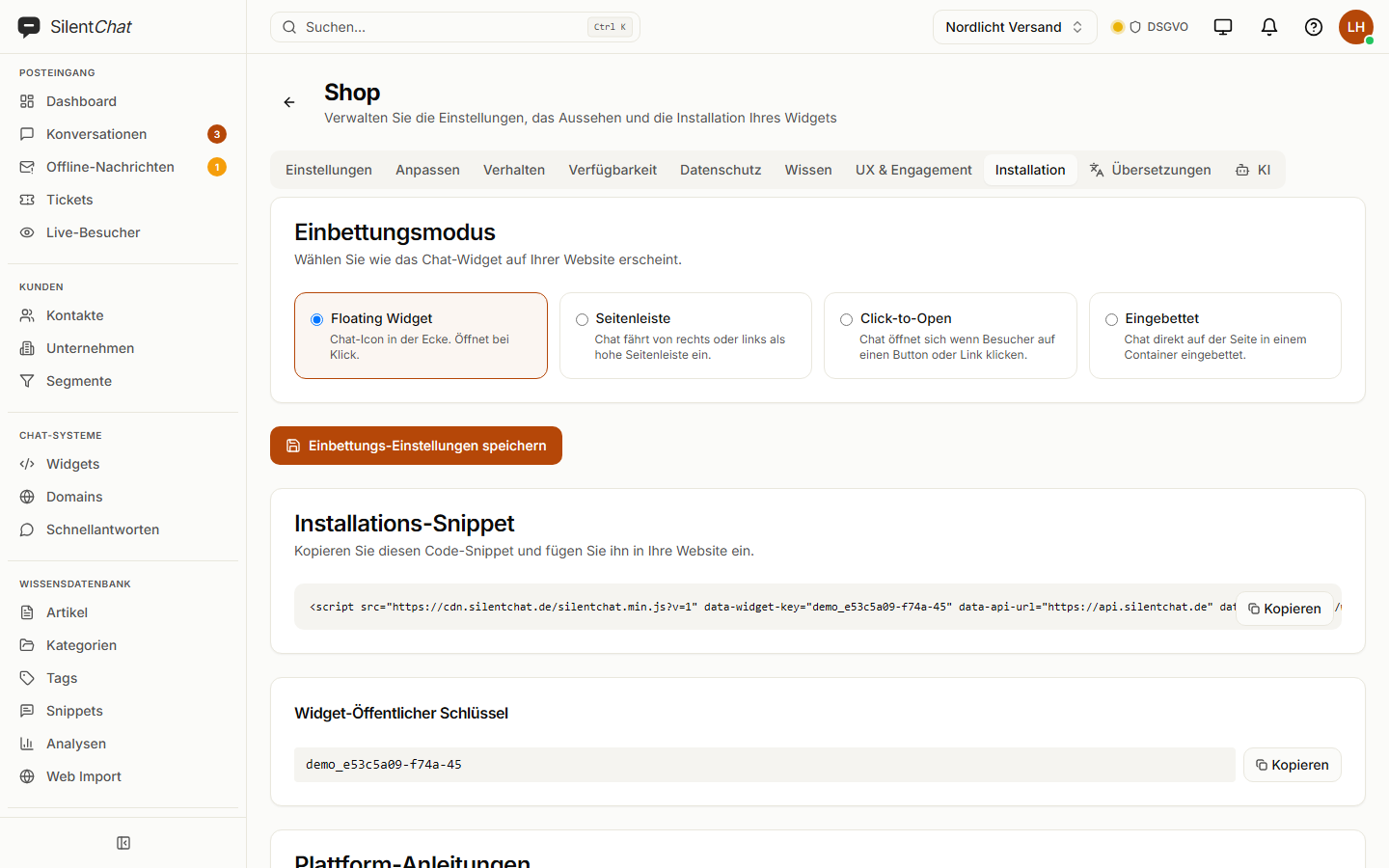
A script tag, done. Four appearances to choose from — floating, as a sidebar, opened by a button, or embedded straight into the page. The widget speaks ten languages and picks the visitor's on its own.
Twelve more features that belong to the everyday work but don't need a stage of their own.
A chat becomes a ticket when the answer takes longer. Incoming email lands in the same inbox.
Included from StarterLearn more →One short question after the conversation. The answers show up in analytics, not in a spreadsheet next door.
Included from GrowthLearn more →Sales, technical, billing — conversations go to the group responsible, sorted by topic if you want.
Included from GrowthLearn more →Your team writes to each other directly or in groups — with files, @mentions and the customer conversation as context. Direct messages are visible only to their recipients.
Included from StarterLearn more →Reads your website and keeps the knowledge base current on its own. How often depends on the plan.
Included from GrowthLearn more →The widget carries your brand instead of ours. The SilentChat notice disappears.
Included from ProfessionalLearn more →Chat and help portal run under your address, not ours.
Included from ProfessionalLearn more →Cut permissions finely instead of choosing between full access and none.
Included from ProfessionalLearn more →Your people sign in with the account they already have. No second password.
Enterprise onlyLearn more →New conversations land as a thread in the channel your team already sits in. Reply in the thread, and you reply in the chat.
Included from ProfessionalLearn more →Who changed what, and when. Retention grows with the plan.
Included from StarterLearn more →More than 400 endpoints for your account and signed webhooks. Included in every plan; the call quota grows with the plan.
Included in every planLearn more →Fixed question-and-answer rules, no AI involved. For the questions that never change that is enough — and it costs no quota.
Included in every planLearn more →The widget speaks first: after a while on the page, on a specific page, past a scroll depth or on a return visit.
Included from StarterLearn more →A portal of its own where your customers submit and vote on ideas. What you build moves onto the roadmap and into the changelog.
Included from StarterLearn more →Extra details about visitors — text, number, choice or yes/no, named the way you name them. Set via the API.
Included from GrowthLearn more →Your site hands the widget what it already knows about the visitor — customer number, plan, basket value.
Included from ProfessionalLearn more →A quick sign instead of a reply. Takes the pace out of conversations that would otherwise end in “Thanks!”
Included in every planLearn more →Visitors enlarge the text themselves — four steps up to 145 %, across the whole window: messages, input field, help articles. Anyone who needs more room drags the window bigger. You enable both per widget; the setting stays in the visitor’s browser.
Included in every planLearn more →When the bot hands over to a person, the conversation says why: a matched keyword, too little confidence in its own answer, an exhausted quota, one of your own rules. Your team sees it, the visitor does not.
Included in every planLearn more →The AI points to the right page — pricing, a guide, a form. You curate the catalogue; anything outside it is stripped before the answer is sent. An invented address never reaches anyone.
Included in every planLearn more →The widget detects the visitor’s language and answers in it — ten languages out of the box. Your own wording is carried into the other nine by the AI at the press of a button; nothing goes live before you have seen and saved it.
Included in every planLearn more →You choose the assistant’s name, picture and greeting. Instead of “Chat with support”, visitors see who they are talking to — with a round frame or without, whichever suits your artwork.
Included in every planLearn more →Visitors and agents attach files — a screenshot, an invoice, a receipt. You decide per widget whether visitors may send files; common image, PDF and Office formats are allowed.
Included from StarterLearn more →A workshop in which we go through widget, knowledge base and rules together — until the first real conversation is running.
Enterprise onlyLearn more →Inbox, tickets and team chat as a program of their own, with Windows notifications and automatic updates. Installs without admin rights.
Included in every planLearn more →USE CASES
E-commerce
Bot pulls tracking data via webhook, replies in seconds. Escalates to support immediately on a complaint.
SaaS
Greeting bubble on the pricing page, contextual KB articles, live chat for conversion.
Agency
One account, any number of widgets — origin allowlist, KB scope, custom branding per client.
Enterprise
SSO via Active Directory, full event history, custom roles for compliant visibility.
FOR DEVELOPERS
Anything you can do in the dashboard, you can do via the API. Webhooks for every event. Idempotent Stripe webhooks in billing.
INTEGRATIONS
Outgoing webhooks per event, native Slack, sign-in via Google or SAML. The REST API covers everything else.
READY?
Create your account, copy the widget snippet, answer your first conversation. That simple.
<script
  src="https://cdn.silentchat.de/silentchat.min.js"
  data-widget-key="YOUR_KEY"
  data-api-url="https://api.silentchat.de"
  data-ws-url="wss://ws.silentchat.de"
  async
></script>For the first 50 new customers until 15 Nov 2026 – Starter, Growth and Professional, billed monthly.
46d 19h 00m 06sApply code START25