Offline messages: what happens when nobody's there
A chat that never answers costs more trust than no chat at all. Outside your hours, the widget takes the message — and your team finds it in the morning.
In short
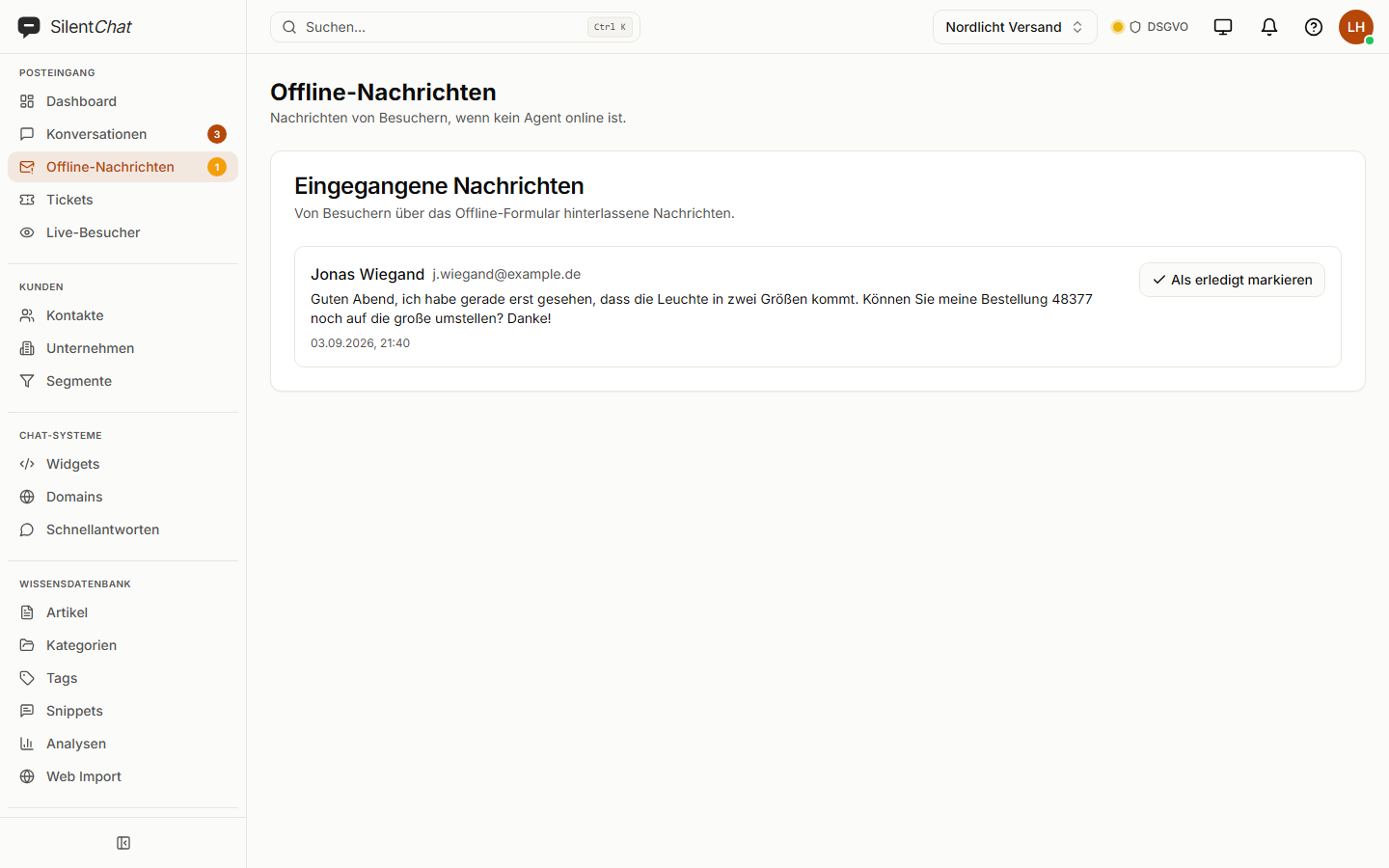
When nobody is there — outside your opening hours or when no agent is online — SilentChat's chat widget shows a form for name, email address and message instead of an empty chat. The message lands in a dedicated inbox and is emailed to the recipients you set for each widget. Alternatively, the AI answers.
What the widget does outside your hours
Your hours are over
Set per weekday, in your time zone — or simply no one is online.
The widget offers a form
Name, email address, message and a text you write yourself.
Your team is notified
The message sits in the inbox and is emailed to the recipients you set.
What it takes off your team's plate
Lost enquiries
Every message is stored, even when no recipient is set at the moment.
Checking whether anything came in
A counter in the sidebar shows unread offline messages.
The impression of an abandoned chat
Visitors see that their message arrived and when to expect a reply — you write the text.
Data protection and offline messages
Offline messages are stored with SilentChat in Germany (Hetzner). The notification is emailed only to the recipients you specify.
The form asks only for what's needed to reply: name, email address and the message itself.
Read more in: Sub-processors · Data processing agreement · All facts at a glance
Frequently asked questions
Outside the business hours you set per widget and weekday in your time zone. Optionally also whenever no agent is online.
By email: one click in the inbox opens your email program with the visitor's address. Replying directly from within SilentChat is not currently available for offline messages.
Yes. Set the widget's behaviour to “AI takes over”. If the AI can't contribute anything from your knowledge base, the widget shows the form again.
The recipients you enter for each widget. If none are set, notifications go to the addresses in your settings or to the account owners.
Yes. Besides “form” and “AI takes over” there is “hide” — the widget then reappears during your hours.
Goes well with
Last updated: 23 September 2026
No visitor leaves without an answer
Set your hours and decide what happens after them.