Contacts that know who's writing
The person asking is often already a customer. SilentChat keeps track of contacts and companies, rates how close someone is to buying and, if you like, takes along what your website knows about the visitor.
Included from Growth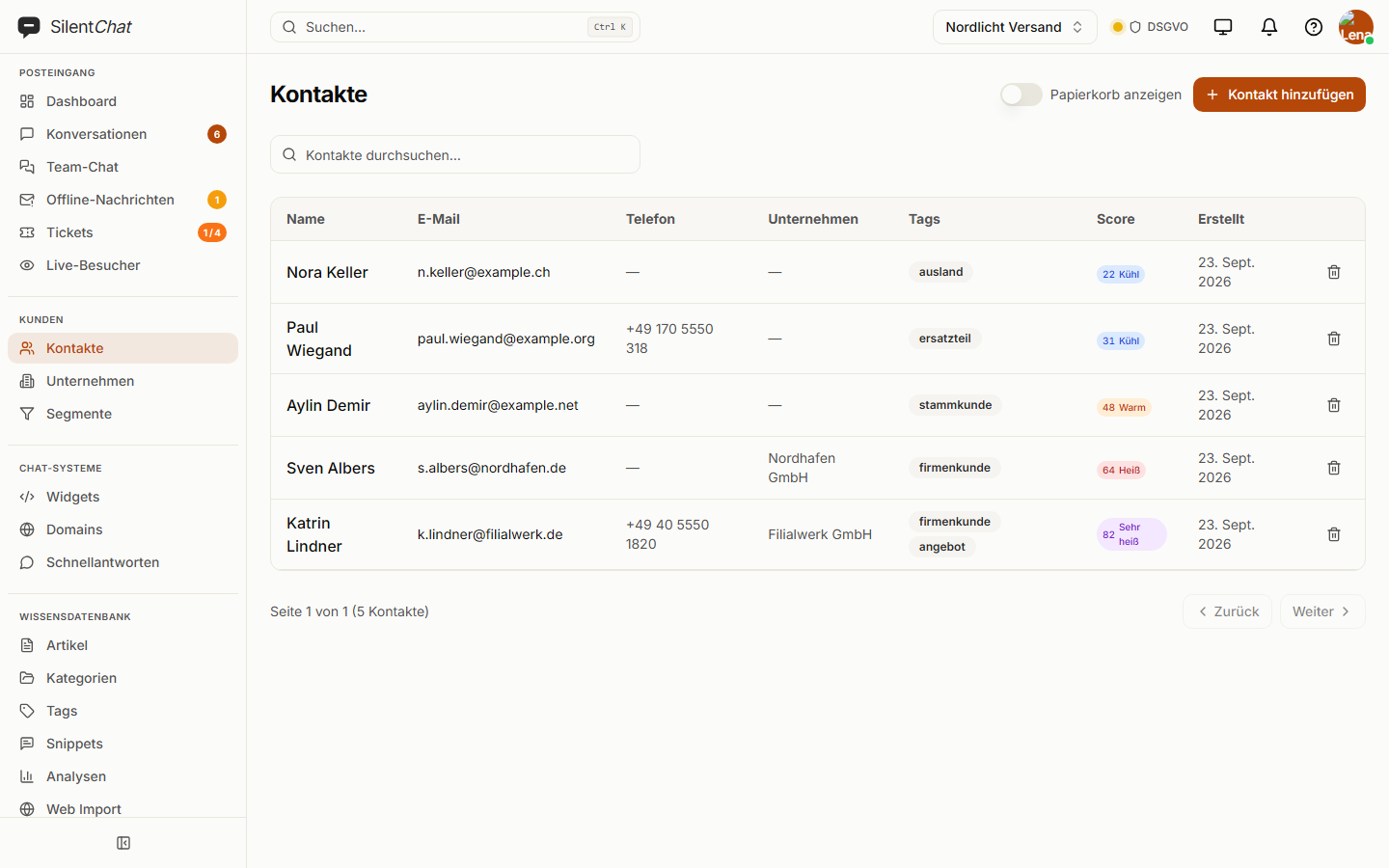
In short
SilentChat manages the contacts and companies that come out of chats and tickets, with tags and notes. If switched on, a lead score from 0 to 100 shows how active and close to buying a contact is. Your website can pass the widget its own details, such as customer number or basket value, for use in segments.
Where the score comes from
Conversations
How often and how extensively someone chats with you — up to 30 points.
Browsing
Visits to pages you mark as close to buying — up to 25 points.
Profile, tickets, recency
Complete details, tickets and how recent the last contact is — up to 15 points each.
What it takes off your team's plate
Looking things up in a second system
Company, phone number and tags sit on the contact — right where the conversation is.
Sorting by gut feeling
The lead score shows who is hot right now, and how that has developed over time.
Asking “which customer are you?”
If your website passes the customer number, nobody has to ask for it again.
Custom fields
Extra details about visitors — text, number, choice or yes/no, named the way you name them. Created and set via the API.
Included from GrowthVisitor data from your website
Your website hands the widget what it knows about the visitor — customer number, plan, basket value. Name and email address can be passed on every plan.
Included from ProfessionalData protection for contacts and visitor data
Contacts, scores and visitor data are stored with SilentChat in Germany (Hetzner). Lead scoring is off by default; once switched on, it runs on the legal basis you choose.
Your website passes only what you explicitly hand over: at most ten details per visitor, each limited in length. Access and deletion per visitor are handled in the data retention settings.
Read more in: Data processing agreement · Technical and organisational measures · All facts at a glance
Frequently asked questions
From five parts adding up to at most 100 points: conversations up to 30, visits to pages close to buying up to 25, profile completeness, tickets and recency of the last contact up to 15 each.
Through the widget's JavaScript interface: name and email address with setVisitorInfo, your own details such as customer number or basket value with setCustomData.
Custom fields are currently created via the REST API and set there or from your website. There is no dashboard interface for them yet.
Scoring is off by default. When you switch it on, you choose the legal basis — consent or legitimate interest. Which basis suits you is something to clarify with your data protection officer.
Goes well with
Last updated: 23 September 2026
Know who's writing before you reply
Contacts appear with the first chat — switch the score on when you need it.