Numbers and voices that support a decision
How many conversations, how fast they were answered, how satisfied people were — and how much the AI handled alone. Plus your customers' voices, right after the chat.
In short
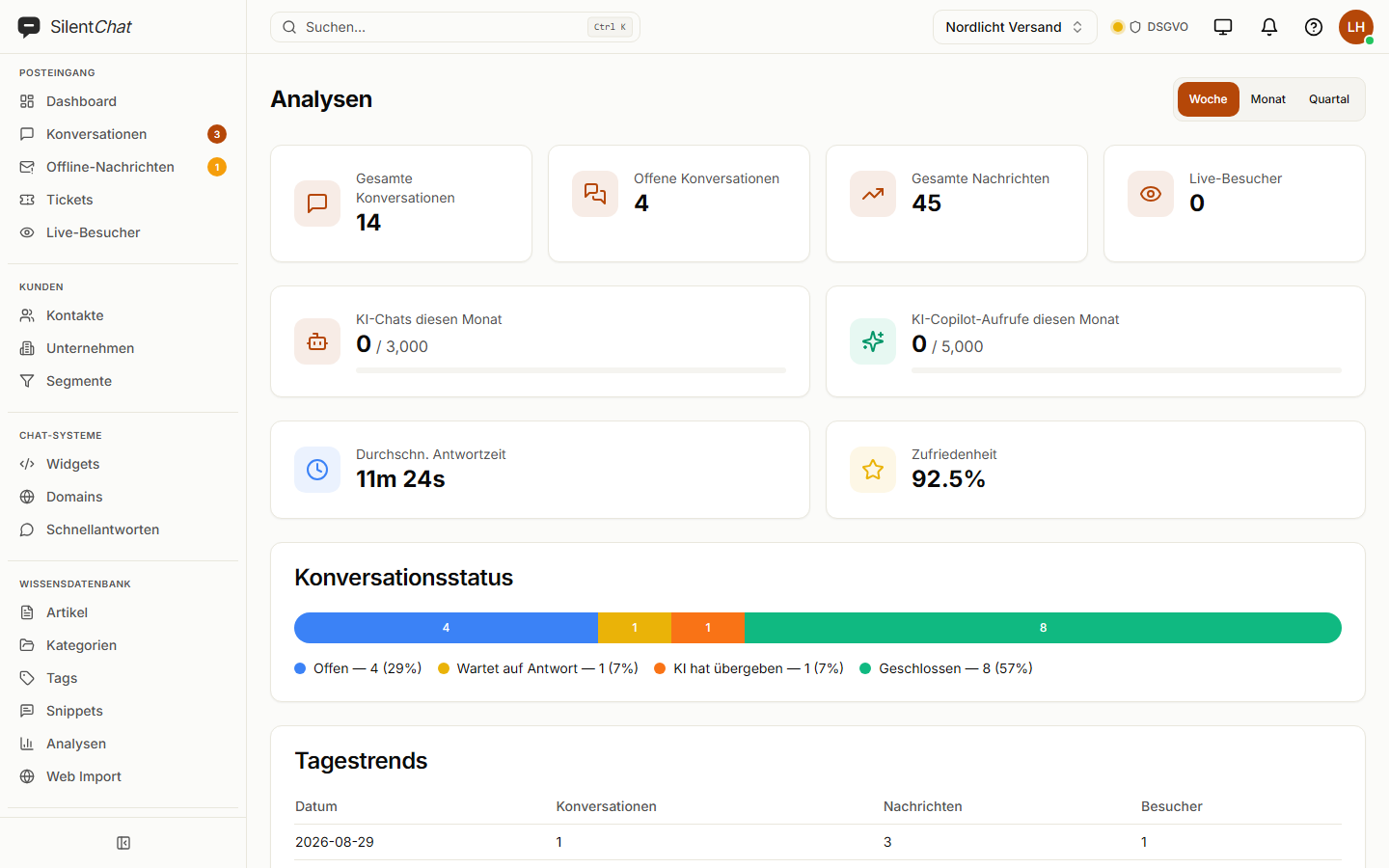
SilentChat's analytics show, for a week, month or quarter, how many conversations came in, how quickly your team replied and how satisfied visitors were — overall and per agent. Surveys ask about satisfaction or likelihood to recommend after the chat or on specific pages, and a feedback portal collects your customers' ideas.
Where the numbers come from
Conversations happen
Every message, every handover and every response time is counted.
Visitors rate
Up to five stars after the chat; optionally a survey with your own questions.
Analytics sum it up
Response time, satisfaction, status and trend — overall and per person.
What it takes off your team's plate
Gut feeling
Whether things are improving shows in response time and satisfaction over week, month and quarter.
The spreadsheet on the side
Ratings and survey responses sit in the analytics, not in a separate file.
Guessing where knowledge is missing
Questions the bot couldn't answer are collected as gaps in the knowledge base.
What it looks like
Surveys
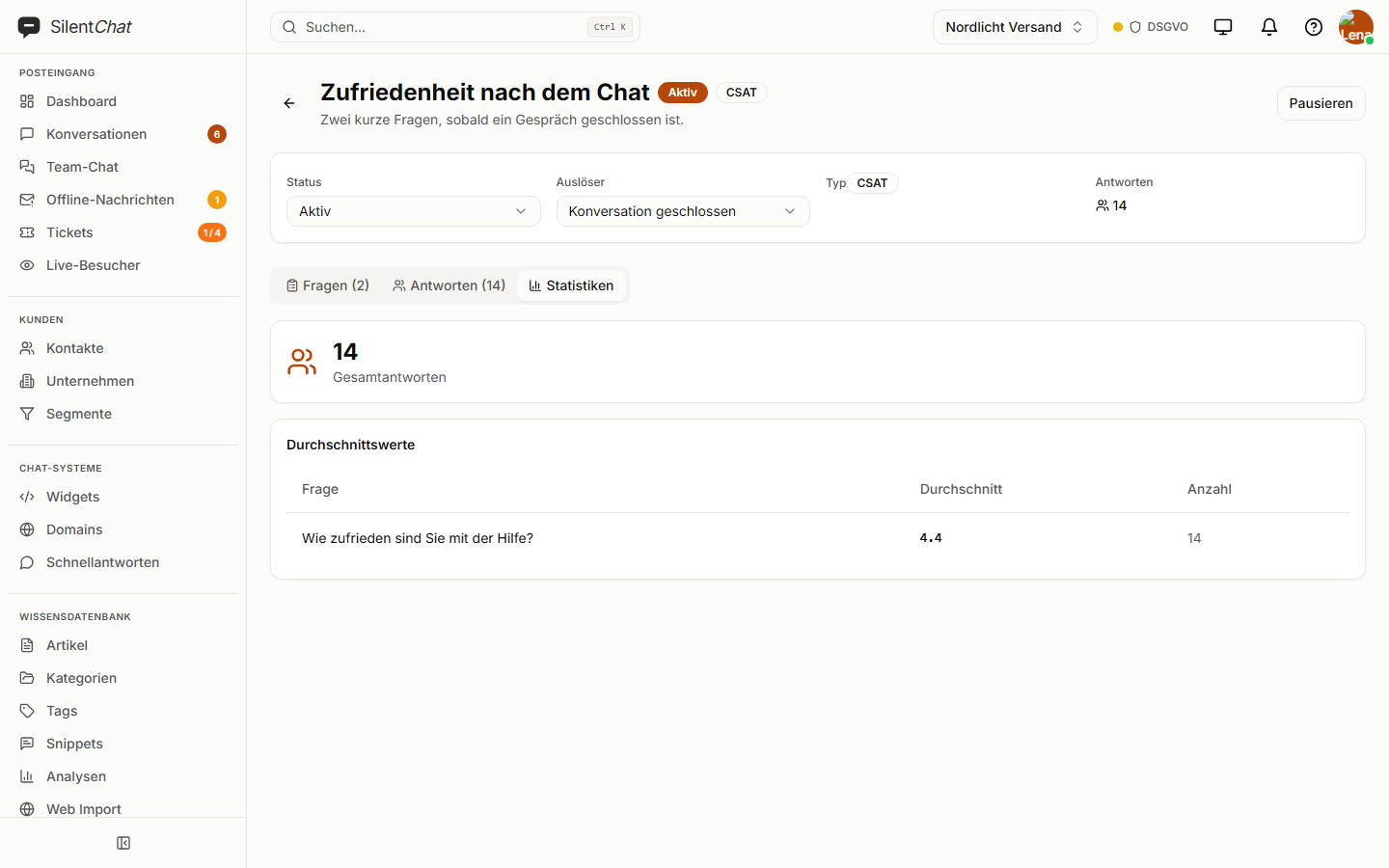
Satisfaction, likelihood to recommend or your own questions — as scale, choice, stars, yes/no or free text. Triggered after the conversation, on specific pages or after a number of messages.
Included from GrowthFeedback & roadmap
A portal of its own where your customers submit and vote on ideas. What you build moves onto the roadmap and into the changelog.
Included from StarterData protection in analytics
Analytics are calculated from your own conversation data at SilentChat in Germany; there is no third-party analytics tool in between.
Survey responses belong to your company's account and are handled according to your data retention rules.
Read more in: Sub-processors · Technical and organisational measures · All facts at a glance
Frequently asked questions
Conversations, open conversations, messages, visitors, average response time, satisfaction, the status breakdown and the daily trend — plus a table per agent.
From the ratings visitors give after the chat, one to five stars, converted into a percentage.
Yes. Surveys come as satisfaction (CSAT), likelihood to recommend (NPS) or with your own questions; triggered after the conversation, on specific pages, after a number of messages or manually.
Yes. The dashboard overview shows how many conversations the AI solved on its own and why it handed over to your team.
Exporting the analytics as a file is not currently available. Individual conversations and the knowledge base can be exported.
Goes well with
Last updated: 23 September 2026
See what has changed after a week
Analytics fill up with the first conversation — no setup needed.