The desktop app for Windows
Your inbox as a program of its own — in the taskbar instead of the twentieth browser tab, with notifications from Windows and updates nobody has to think about.
In short
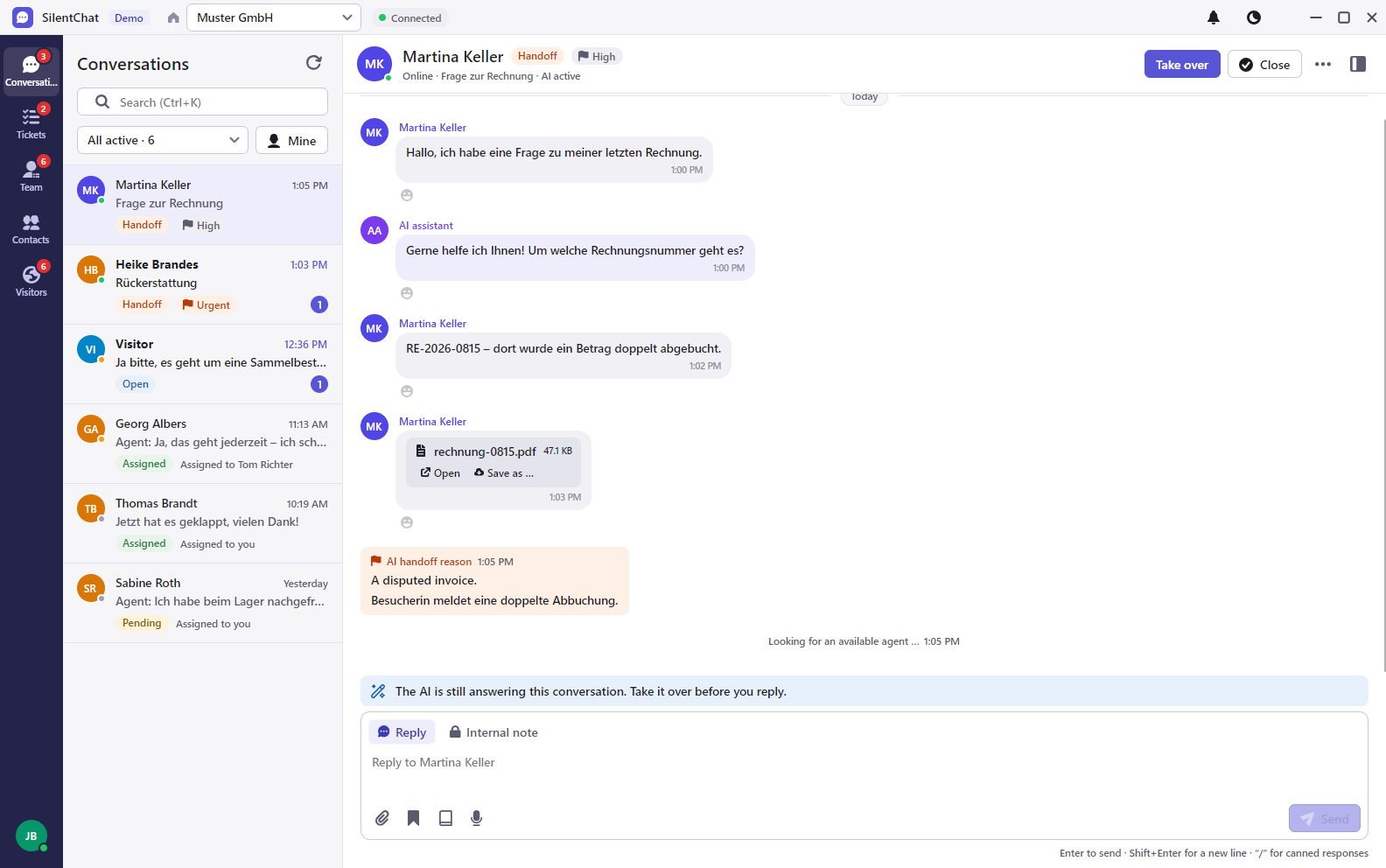
SilentChat's desktop app brings the inbox, tickets, team chat, contacts, visitors, copilot and knowledge base to Windows 10 and 11 as a program of its own. Windows itself announces new messages, optionally without the message text. The app installs without admin rights and updates itself; your IT manages it via group policy or Intune.
Download
Download the installer and run it — the app sets itself up for your Windows account, no admin rights needed.
Download for Windows- Version
- 1.0.0
- File
- silentchat-desktop-1.0.0.exe
- Size
- 64 MB
- System
- Windows 10, Windows 11 (x64)
Windows shows a warning on first launch
The installer does not carry a digital signature yet. Windows therefore shows “Windows protected your PC” on first launch. Here's how to continue:
- Click “More info”.
- Check that the publisher, or the file properties, say “Forge12 Interactive GmbH”.
- Choose “Run anyway”.
Four steps to the app
Download
One installer for Windows 10 and 11, 64-bit.
Install
No admin rights needed; shortcuts go on the desktop and in the Start menu.
Sign in
With an email code or password, optionally with a second factor.
Work
Windows announces new messages; updates arrive on their own.
What it takes off your team's plate
Hunting for the right tab
SilentChat gets a window of its own and its own place in the taskbar.
Missed messages
New conversations and messages appear as Windows notifications, even when the window is in the background.
Reinstalling
The app fetches new versions itself; nobody has to hand out a new file.
What it looks like
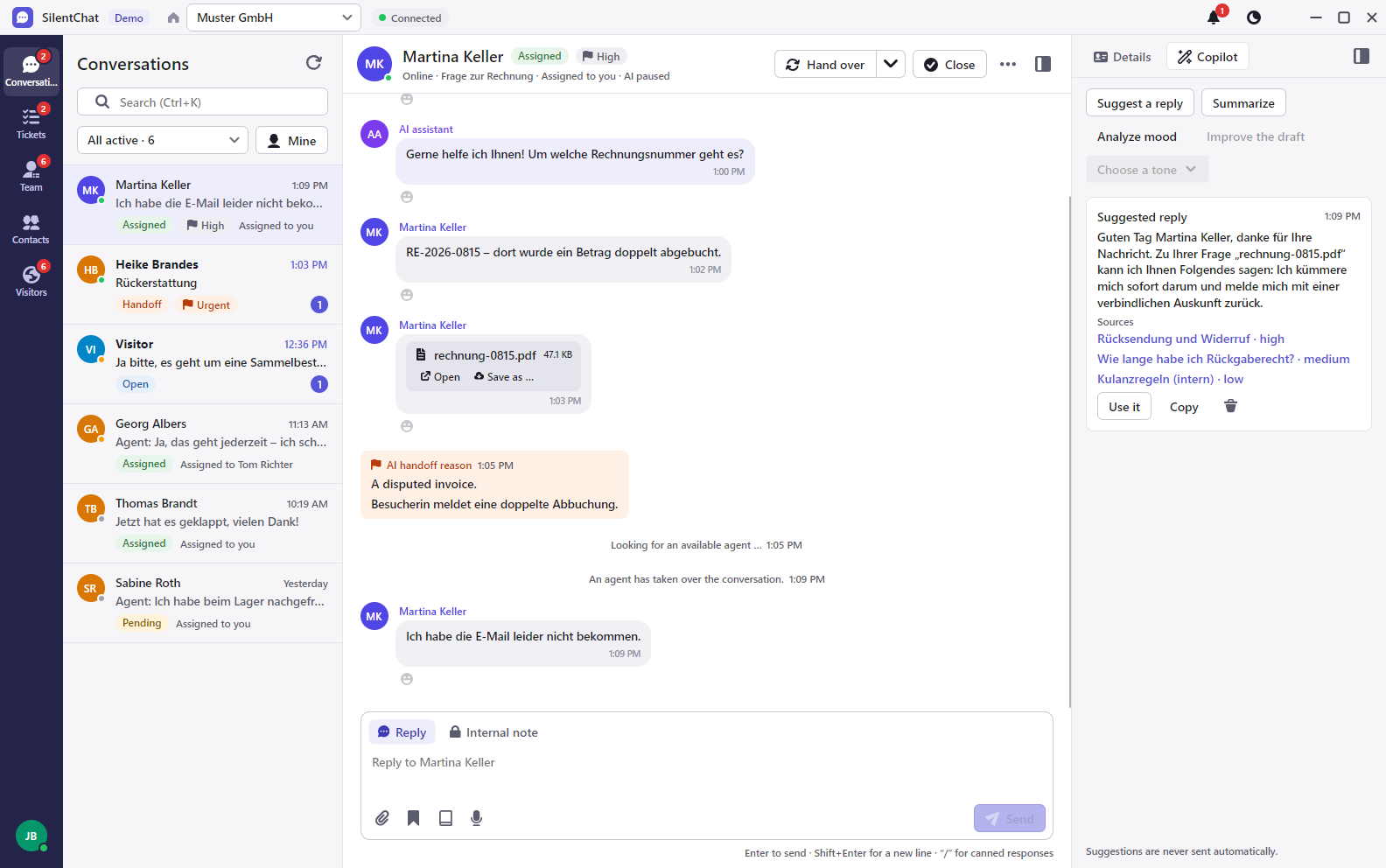
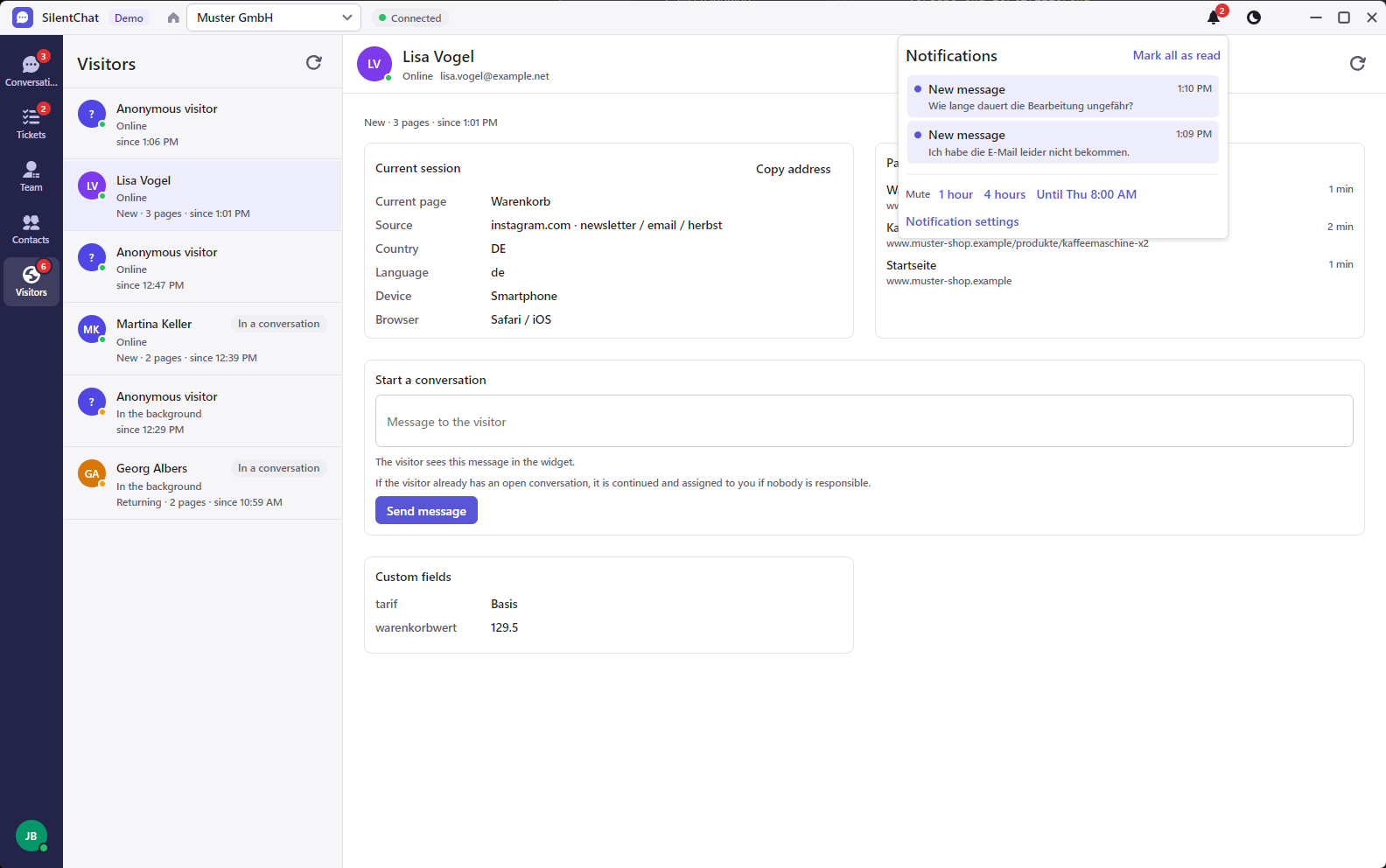
Notifications the way you want them
You decide which events notify you; switched-off events appear neither in the bell nor in Windows. Sound on or off, message text in the notification on or off, mute for one hour, four hours or until the next morning.
Dictation
Speak replies instead of typing: what you say lands as text in the input field, to be checked and sent as usual — if your plan includes dictation.
For your IT
Machine-wide deployment via MSI and management via group policy or Intune — updates, proxy, language, notifications, dictation and error log. A proxy with Windows sign-in is supported.
Data protection and the desktop app
For your work, the app connects exclusively to SilentChat's servers in Germany — the same ones the dashboard in the browser uses.
The installer and updates come from our server api.forge12.com, which is connected through Cloudflare's network. Cloudflare processes your IP address in the process; the details are in the privacy policy.
If others can see your screen, switch off the message text in notifications — Windows will then only say that something arrived.
Read more in: Privacy policy · Security · All facts at a glance
Frequently asked questions
The installer does not carry a digital signature yet. Click “More info”, check that the publisher is Forge12 Interactive GmbH and choose “Run anyway”.
No. The app installs for your Windows account. For your IT there is also machine-wide deployment via MSI — just get in touch.
Not yet. In the desktop app you sign in with a code sent by email or with your password, optionally with a second factor. All sign-in methods are available in the browser.
Currently only for Windows 10 and 11 (64-bit). On any other system, the dashboard runs in the browser, including on your phone.
On its own. The app checks for new versions and installs them; your IT can set this behaviour via group policy or Intune.
Inbox, tickets, team chat, contacts, visitors, copilot and knowledge base — each as far as your plan includes it. The app is another way into your account.
Goes well with
Last updated: 23 September 2026
No account yet?
The app works with your SilentChat account. Create one for free, then sign in to the app.