The chat widget that takes one line
One script tag on your page and the chat window is there — in your colours, in the visitor's language and without a single cookie.
In short
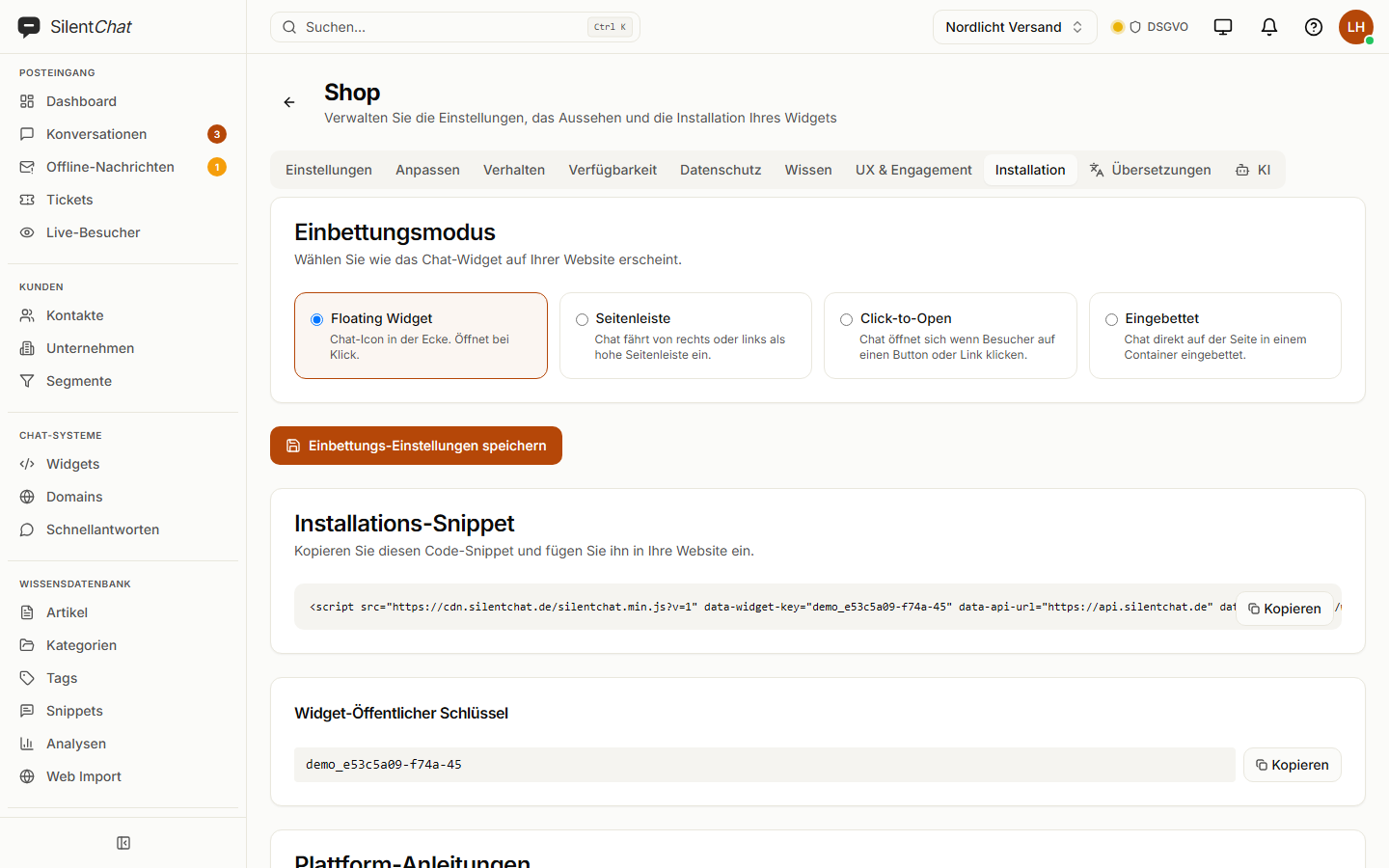
You add SilentChat's chat widget to your website with one script tag — floating, as a side panel, behind a button or embedded in the page. It is under 70 KB, speaks ten languages and picks the visitor's. The widget sets no cookies, and you adjust colours, texts and position without writing code.
On your website in three steps
Set up the widget
Colour, position, texts and display mode — with a preview.
Paste the snippet
One line before the end of the body, or the WordPress plugin.
Allow your domain
If you like, the widget loads only on domains you have verified via DNS.
What it takes off your team's plate
A developer for every change
Change colours, greeting, hours and texts in the dashboard — the snippet stays the same.
Translating
Ten languages out of the box; the AI translates your own texts at the push of a button, and nothing goes live before you've saved it.
The cookie question
The widget sets no cookies. There is a dedicated interface for consent tools.
Four display modes
Floating button, side panel, opened from your own elements, or embedded in a page. If you like, the widget loads only on click.
Accessibility
Visitors enlarge the text in four steps up to 145 % — across the whole window — and drag the window larger when they need more room.
Guided links
The AI links only to pages in your link catalogue. A filter removes any address that isn't listed before the message is sent.
Without our name
The widget carries your brand, and the SilentChat notice disappears.
Included from ProfessionalData protection when embedding
The widget sets no cookies. What it needs to remember — such as the chosen text size or the current session — it keeps in the browser's storage.
For consent tools such as Cookiebot or Usercentrics there is an interface through which the tool grants and revokes consent. Like the application, the widget is served from Germany (Hetzner).
Read more in: Privacy policy · Sub-processors · All facts at a glance
Frequently asked questions
Copy the embed snippet from the dashboard — a script tag with your widget key — and paste it before the end of the body. There's a plugin for WordPress.
No. What the widget needs to remember is kept in the browser's storage. There is an interface for consent tools, and if you like, the widget loads only when the visitor clicks.
The widget is under 70 KB (gzip) and loads asynchronously. It loads eight of its ten languages only when a visitor needs them.
Ten: German, English, French, Spanish, Italian, Portuguese, Dutch, Polish, Turkish and Russian. It picks the visitor's language on its own.
Yes. With domain protection, the widget only loads on domains you have verified as yours via a DNS record.
Goes well with
Last updated: 23 September 2026
One line, and your chat is live
Set up the widget, copy the snippet and see the first question in your inbox.