SilentChat is now in the App Store: the support inbox for iPhone and iPad
The SilentChat app for iPhone and iPad is available in the App Store and is free. It brings the inbox, AI handovers, tickets, team chat, contacts and copilot to your phone. It requires iOS or iPadOS 17.0 and an existing SilentChat account at your company. According to its App Store listing, it contains no ads, no tracking and no analytics services.
A customer writes while you are out, and the AI hands the conversation to your team. Until now that meant a browser, or our desktop app for Windows. As of now, SilentChat is also an app for iPhone and iPad: SilentChat in the App Store.
What the app can do
The app is meant for support agents who use SilentChat at their company. It is another way into your account, not a separate product. Here is what is in it:
- Inbox: all active conversations with status, priority and unread messages. Accept handovers, assign, close and reopen conversations.
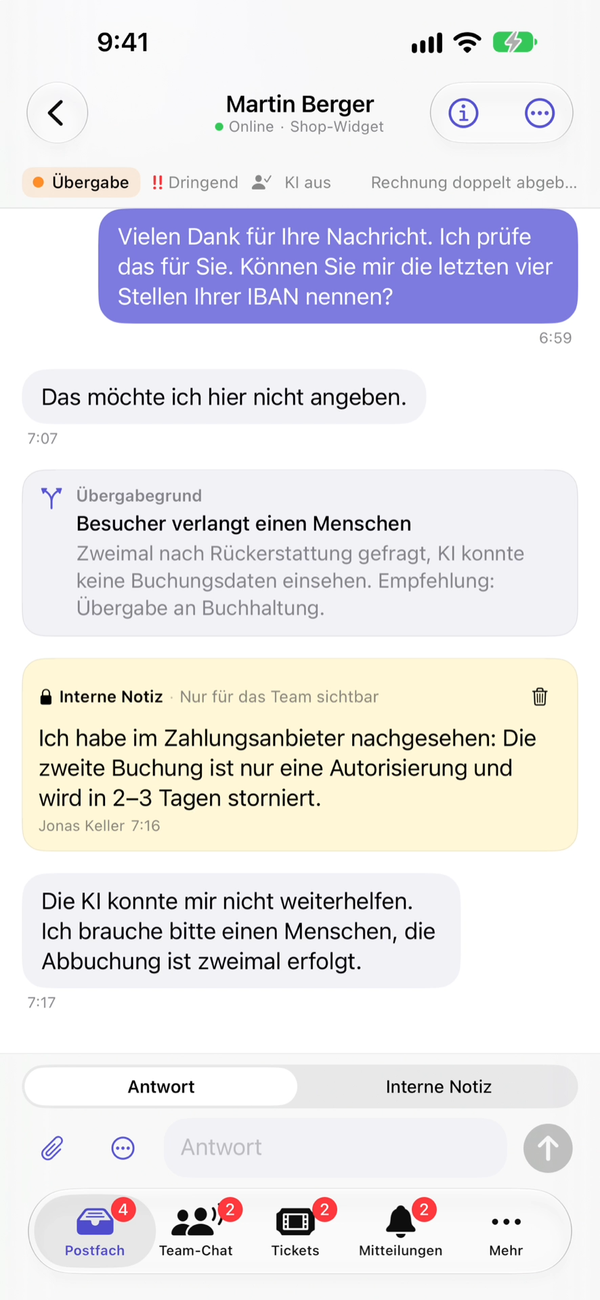
- In a conversation: internal notes, text snippets, attachments and reactions. Visitors' messages can be translated into your language.
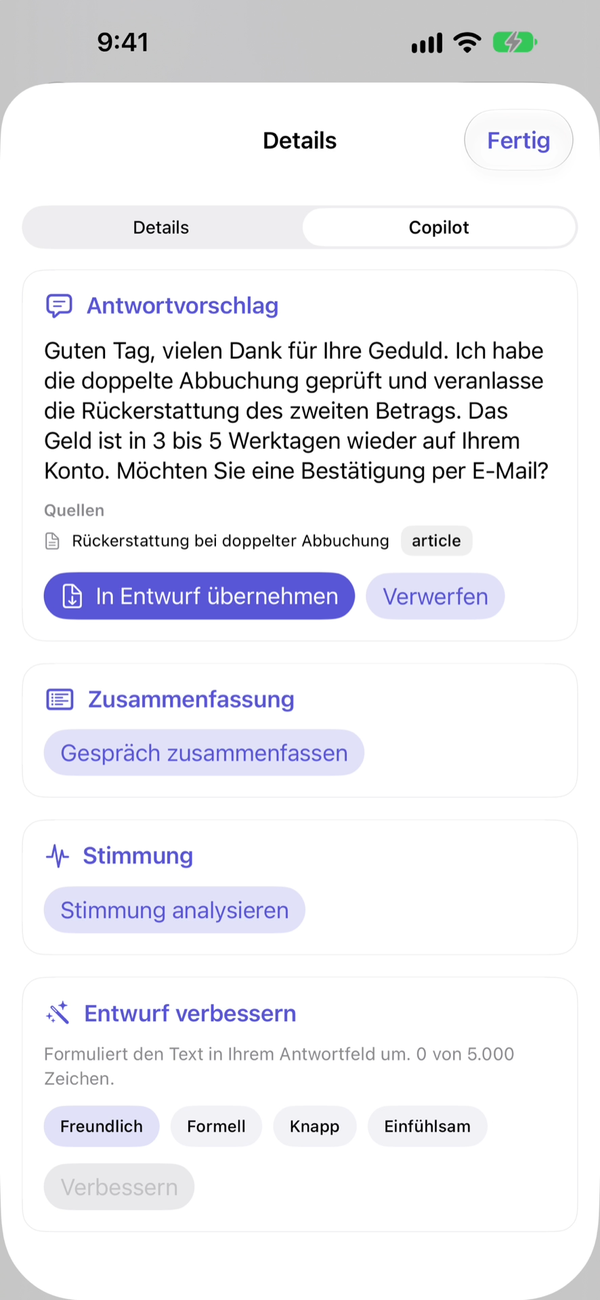
- Copilot: suggested replies, a summary and the mood of the conversation, drafts in the tone you want and dictation straight into the draft.
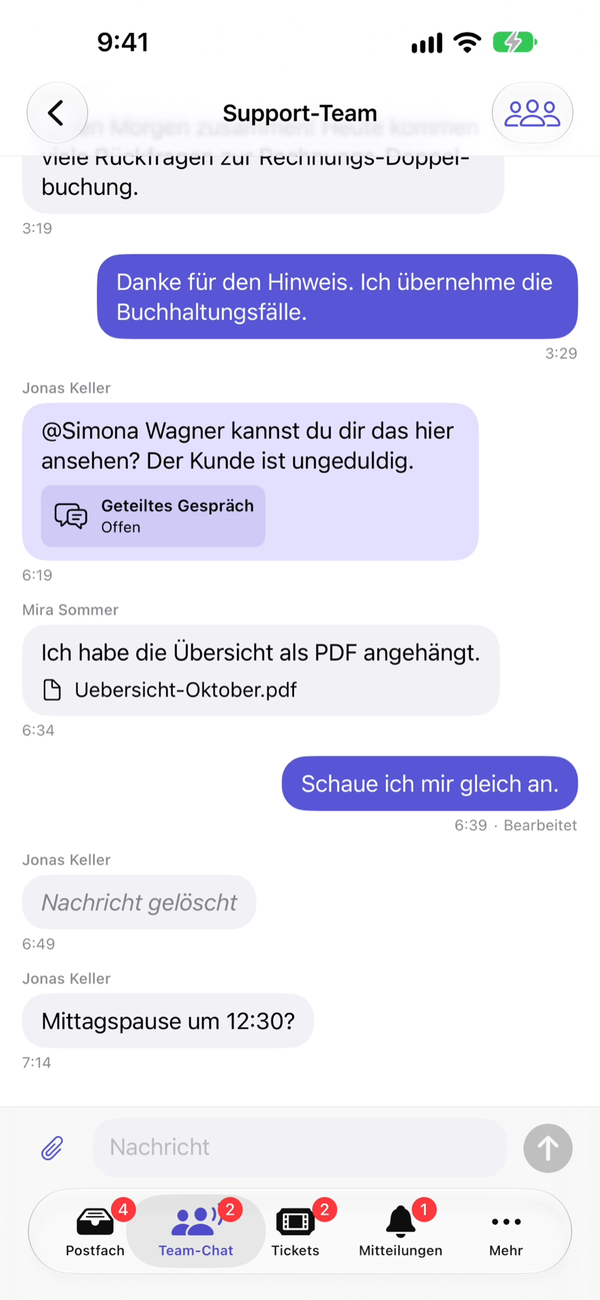
- Team: team chat with groups and direct messages, creating, commenting on and resolving tickets, contacts and live visitors with history.
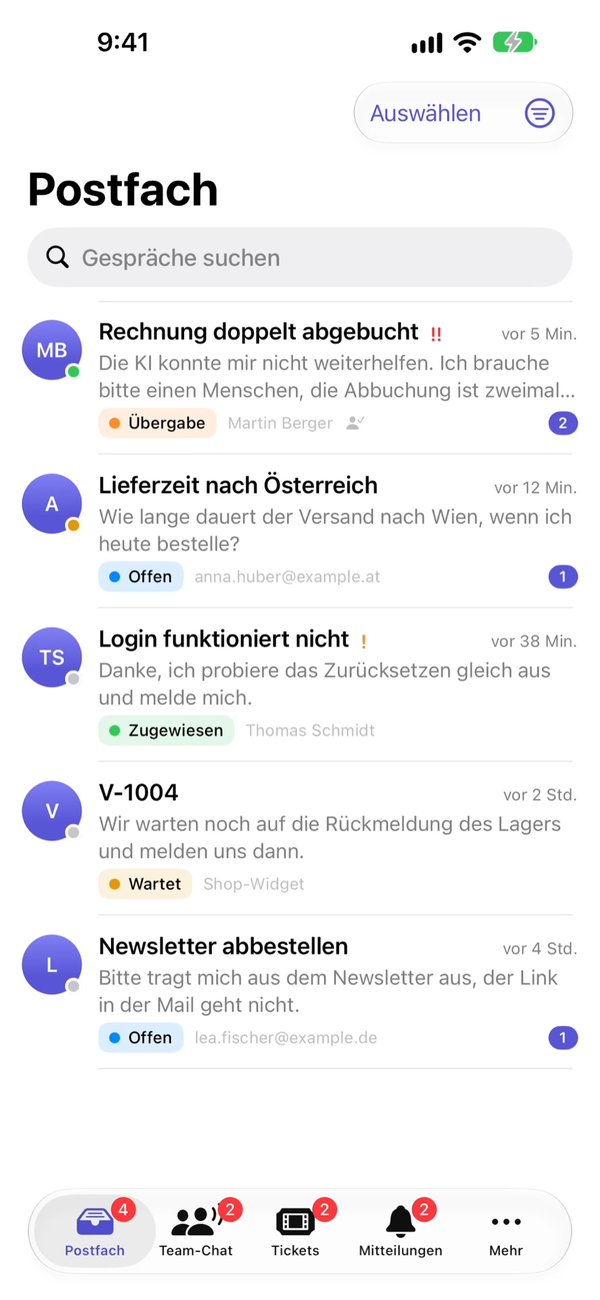
Taking over a handover from the AI
When the chatbot finds no basis in your knowledge base, or a visitor asks for a human, it hands the conversation to your team. In the app you then see not only the history but also the reason for the handover as a note card. An internal note stays visible to the team only.
The copilot in your pocket
The copilot suggests replies and names the knowledge base article it relies on. You take the suggestion into the draft or discard it. Only what you confirm is sent. Whether copilot and dictation belong to your account depends on your company's plan.
Team chat and tickets
Your team stays reachable too: in team chat you mention colleagues, share conversations and attach files. You create, comment on and resolve tickets in the app.
Data protection: what we can back up
For your work, the app connects to SilentChat's servers in Germany, the same ones the dashboard in the browser uses. In the App Store listing we state: no ads, no tracking, no analytics services. Credentials are stored in the device's keychain, and notifications on the lock screen do not show the message text by default. The store's privacy details name email address, name, user content and user ID as data linked to you, each for the app's functionality. These are the developer's statements; Apple has not verified them. Everything else is in the privacy policy.
Requirements and installation
- Devices: iPhone and iPad with iOS or iPadOS 17.0 or later.
- Size and price: about 6 MB, free.
- Languages: German and English.
- Account: The app requires an existing SilentChat account at your company. Accounts are created in the web dashboard.
No account yet? Create one on the web, then sign in to the app. You still do settings and setup in the dashboard.
All details, screenshots and frequently asked questions are on the page SilentChat for iPhone and iPad. If you prefer working at a computer, you will find live chat in the browser and as a desktop app.
Straight to the download: SilentChat in the App Store.