The workflow builder: automation as a graph
Workflows in SilentChat are graphs: a trigger, then conditions, branches, actions, delays and questions to the visitor. Before saving, SilentChat checks every workflow for cycles, unreachable nodes and missing fields. Available from the Growth plan, with 21 templates.
From a list to a graph
SilentChat's first workflows were lists: conditions on top, actions below, everything had to match. That form lived in the code for about a month, from late March to late April 2026. Then we replaced it with a graph. The reason: a list can neither express “if not, then …” nor a question to the visitor whose answer the flow waits for.
Old list workflows aren't lost. SilentChat converts them into a chain of nodes in which every “no” branch ends — so they behave exactly as before.
The building blocks
A workflow consists of nodes and edges. There are eight node types:
- Trigger: starts the flow on one of ten events — such as a new conversation, an incoming message, a new or updated ticket, or a conversation left unanswered for too long.
- Condition: branches into yes and no.
- Switch: routes to several cases.
- Action: does something — 25 action types, from assigning and tagging to email, webhook and ticket, up to AI summary, AI classification and AI reply suggestion.
- Delay: pauses between one second and one day.
- Question: asks the visitor and waits for the answer; with buttons it branches like a switch.
- Wait for event: continues when the event happens, or after a deadline into its own branch.
- Goal: counts how often a flow reaches its goal.
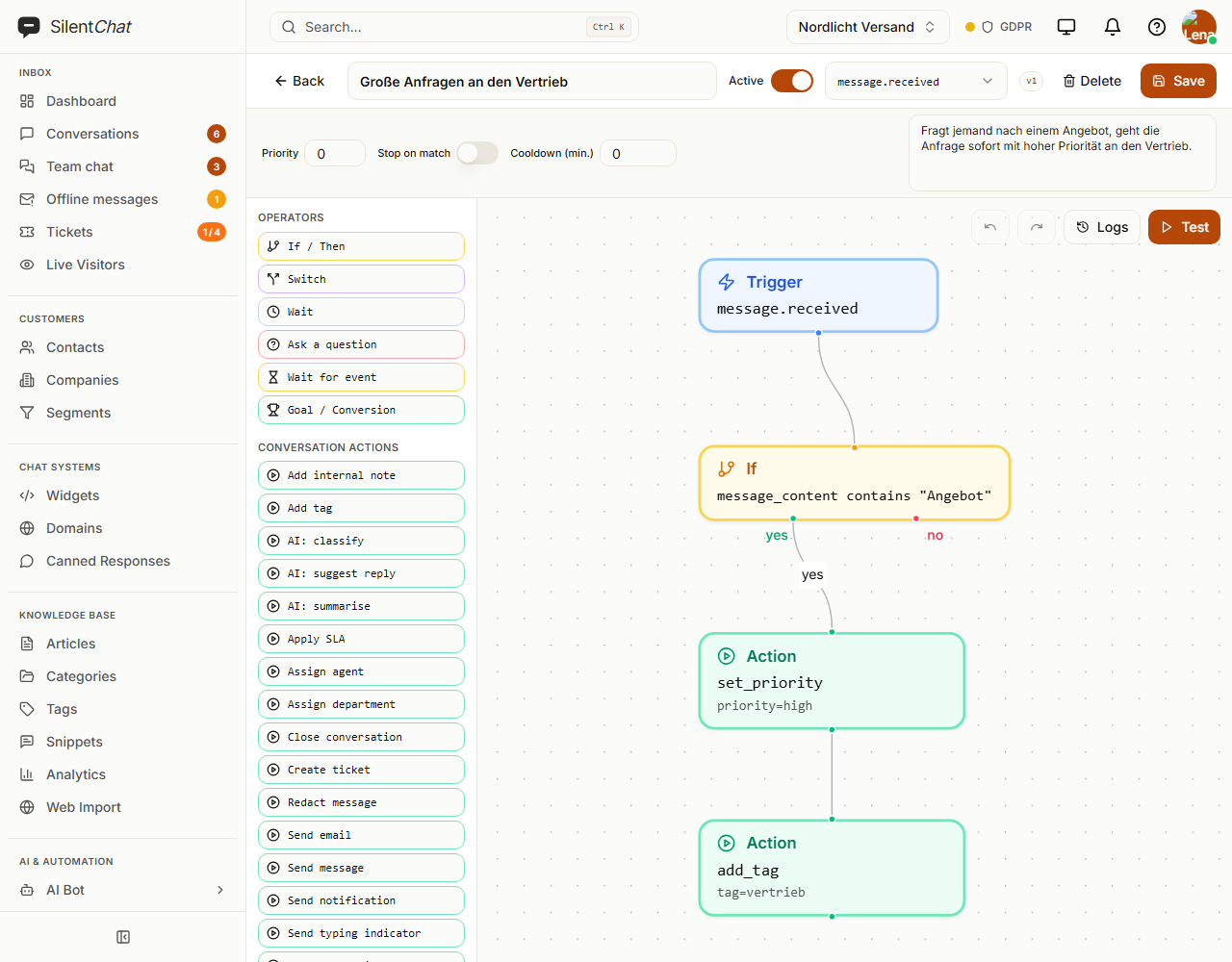
What is checked before saving
A broken workflow shouldn't run in the first place. Before saving, SilentChat checks, among other things:
- exactly one trigger,
- no cycles,
- every node is reachable from the trigger,
- actions and delays have exactly one successor, conditions their yes and no edge,
- required fields per node type and allowed events, operators and actions.
A workflow may have at most 200 nodes; the plan can set a lower limit. At runtime, a flow also stops after 100 steps — a second safeguard in case a loop slips through.
A dry run without side effects
The test run plays a workflow through without actually executing actions: every step is logged, but no email is sent and no ticket is created. Webhooks additionally check their target against requests to internal addresses.
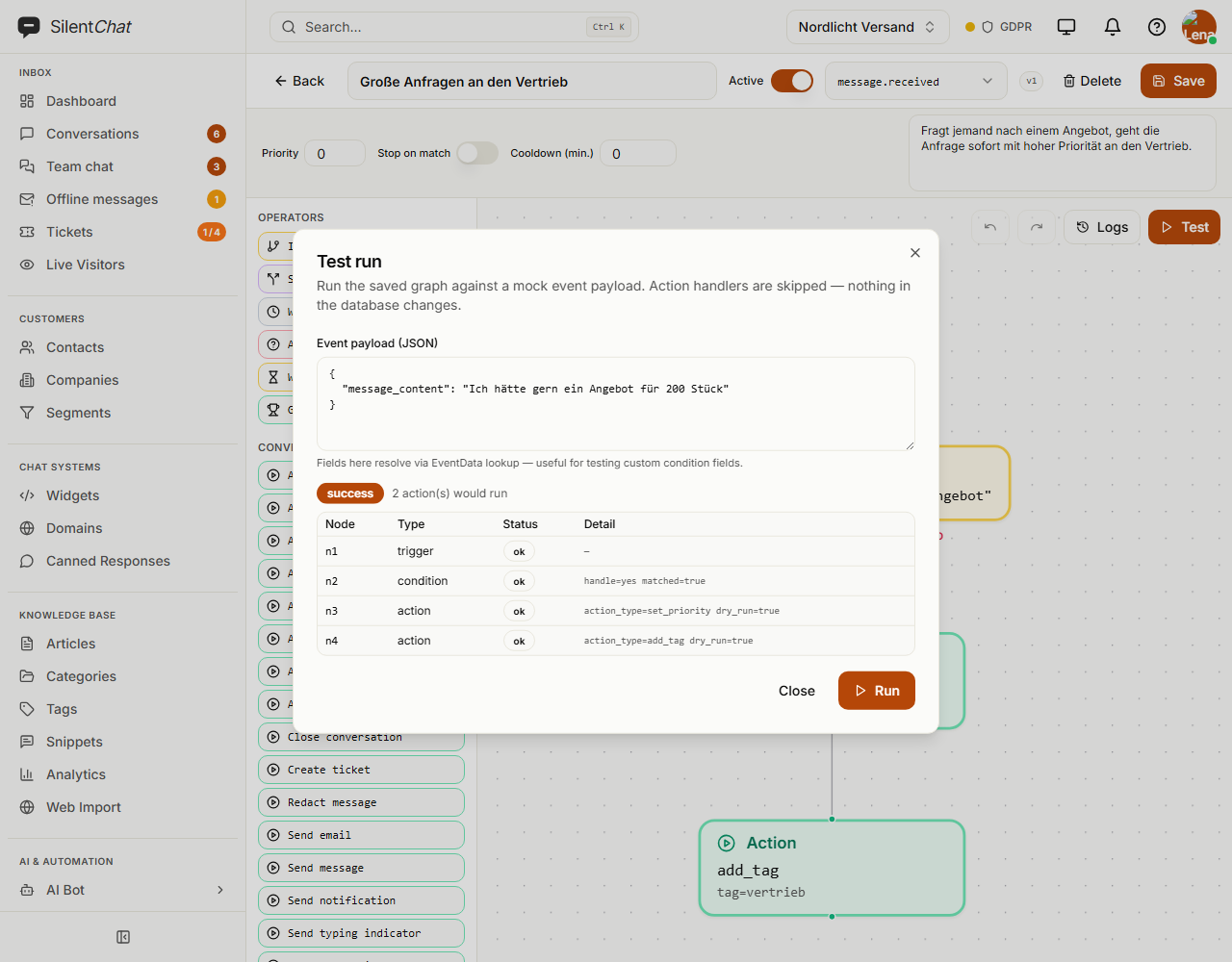
Versions
Every change to the graph, trigger or cooldown increases the version number, and every execution records which version it ran with. If a flow pauses — for example on a question to the visitor — it later continues with the state it started with, even if the workflow has been changed in the meantime. Viewing or restoring earlier versions is not possible yet.
Templates and plans
21 templates are available in German and English — for example a greeting, a VIP escalation, a satisfaction survey after resolved tickets, or an escalation for unanswered tickets. Workflows are included from the Growth plan.
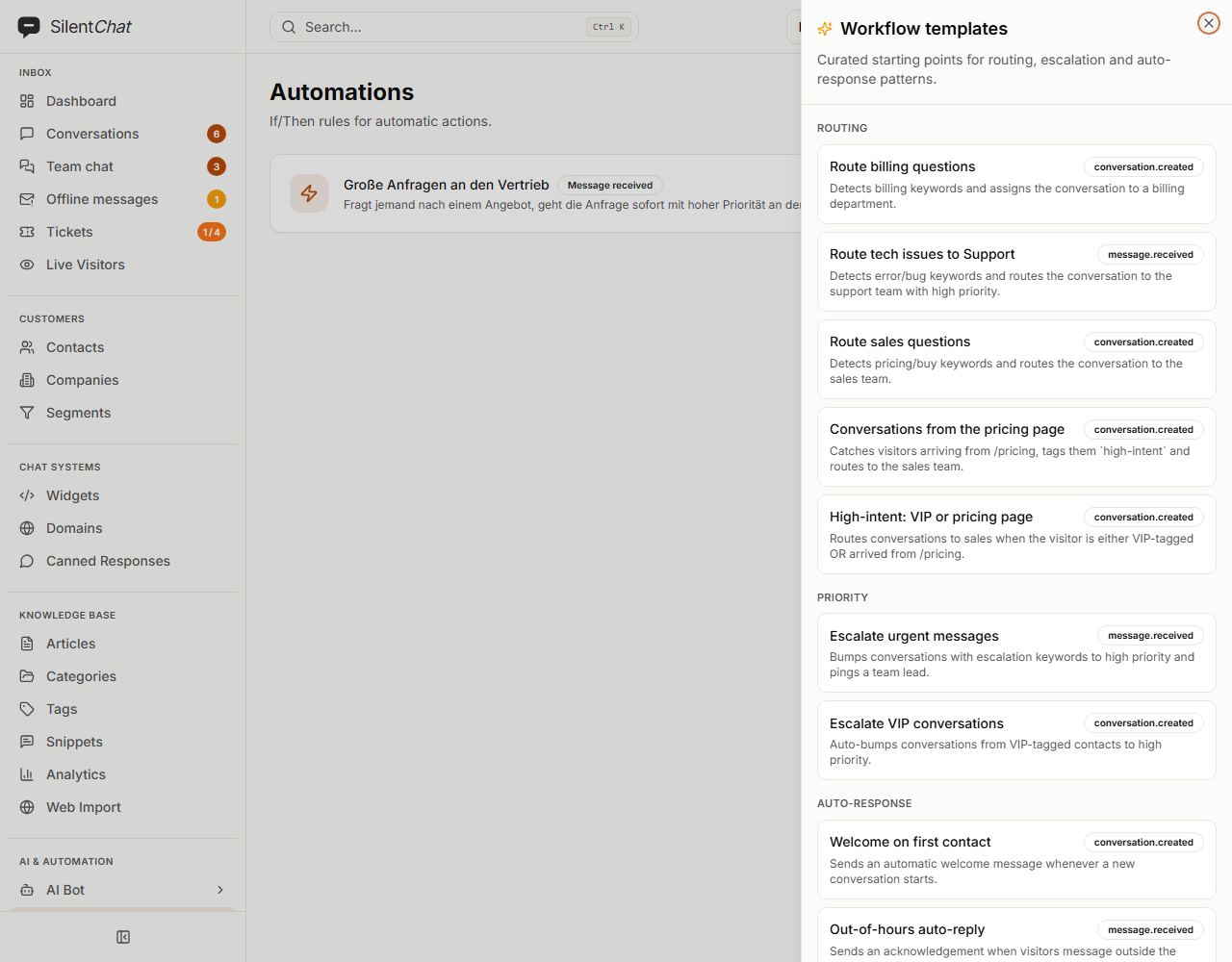
What we found ourselves
- Tenant isolation: During the security review of the graph builder in late April, we noticed that some workflow routes loaded entries by ID only. We fixed that long before SilentChat went public; an integration test keeps it that way.
- Plan limit: Until 11 September 2026, only access to editing checked whether workflows are part of the plan — execution itself did not. Since then, the engine checks the plan too.